DJ gear
Traktor vs rekordbox
Choose between Traktor and rekordbox by USB export, compatible hardware, stems, DVS and licensing. Plan how to move your library if you switch.
Choose by where the audio plays
| Decision | Traktor Pro 4 | rekordbox |
|---|---|---|
| Main buying case | Laptop rig with Traktor workflow and creative deck tools | Prepared USBs for compatible club players or a rekordbox laptop rig |
| Library use | Traktor collection and playlists | rekordbox collection and device export |
| USB for standalone AlphaTheta players | Exporting a playlist file does not create a CDJ library | Use the supported Device Library or OneLibrary format for the player |
| Pricing model | Buy-once licence, with regional pricing and promotions | Free Export mode, with Performance features varying by plan and hardware |
| Library handoff | NML or M3U playlist export | Writes prepared device libraries for compatible standalone equipment |
When Traktor is the better daily tool
Traktor Pro 4 works with up to four decks and offers flexible beatgrids for tracks that drift or change tempo. Remix Decks, the Pattern Player and stem separation are useful if you use those parts of the software during a set. Look up the exact controller or audio interface and its current OS support before buying. Try the controls you use during a set and see which ones the controller puts under your hands.
Native Instruments lists Traktor Pro 4 at a regular U.S. price of $149. Offers may lower that price. Compare licence terms and required hardware before assuming either software is cheaper over the life of the setup. Native Instruments Traktor Pro 4
If you already own a Traktor controller, start with the controls you use every week. A long blend may depend on keeping two mix channels open while you listen to a third deck, for example. Check how you select the other decks and reach their cue controls on that controller. If most of those actions work as you expect, the scale of your collection and the cost of moving it can outweigh a feature you would rarely use.
Run the same short set in the other app before buying a new controller. Use a track with a tempo change, one with a cue you need to hit on time, and two files you commonly mix. Try browsing, setting a loop and previewing a track in headphones. This will tell you which mappings and performance features you would have to replace, and whether the new app solves the problem you actually have.
When rekordbox saves work between home and a venue
The Free plan includes Export mode for computer-to-USB preparation. Start there if you only need to show up with local files on a stick. Performance functions and connected-hardware entitlements depend on the controller, plan and feature. If you are taking a prepped USB to a venue, check the exact player. For instance, the CDJ-1500X and CDJ-3000X read OneLibrary for their prepared browsing workflow. Older units may need Device Library. Keep a local copy of the tracks you need on the drive. Sign-in and streaming on equipped players are separate workflows, with their own plans and service requirements. rekordbox plans · USB export compatibility
Ask the venue for model names before you export. If it has a CDJ-1500X and CDJ-3000X across different rooms, you have two documented OneLibrary targets. If you might play a CDJ-3000 as well, prepare its library format too. Check that playlists browse as expected on an actual player. A file that plays when you find it by folder can still be missing the playlist or cues you were relying on.
Keep a second drive with the same set if you can. An export checklist can be as short as making sure the drive ejects cleanly, loading the opening and last tracks on a player, and confirming that the playlists show up. A drive tested in a venue with one model still needs checking if the next room has another.
| Player or setup | Test before leaving home |
|---|---|
| CDJ-1500X or CDJ-3000X | Export the supported OneLibrary format and check playlists, cues and beatgrids on the target model. |
| An older Pioneer DJ or AlphaTheta unit | Confirm the model in the rekordbox compatibility table and export the library format it reads. |
| Laptop running Traktor | Open the playlist from the drive you’ll bring and check the controller or audio interface with the laptop. |
How to keep Traktor at home and use rekordbox for gigs
Start with local music files you can access in both apps. Leave the original Traktor collection in place. Start with one gig playlist and look for missing files in rekordbox. On the intended deck, try a track with a hot cue, a loop and a beatgrid you adjusted by hand. Traktor’s NML and M3U playlist facilities do not create a ready-to-play rekordbox library or guarantee cue and beatgrid transfer. Controlling laptop software with a supported CDJ is a different workflow from playing a USB directly on the deck. Traktor playlist documentation
See the CDJ guide for model-by-model library considerations, rekordbox vs Serato for another laptop-to-booth comparison and best DJ software for alternatives.
For a longer-term move, keep one folder of local audio and give each application its own collection database. Save a copy of the original library and record which set playlists you have checked in the destination. If one app sees a missing file, repair that path before you start recreating cues. Once the tracks and playlists are in place, transfer or rebuild the cues you actually need for the next date. You can move the rest over time if you decide to switch.
FAQ
Do I need to pay for rekordbox to prepare a CDJ USB?
The computer’s Export mode is included in the Free plan. Check the player’s library compatibility before export. A subscription may be relevant for other features, such as specific cloud workflows.
Can Traktor control a CDJ?
Some CDJ and Traktor combinations support laptop control. The player operates Traktor while the software runs on the computer. Check the exact CDJ model and Traktor version in the manufacturer’s connection instructions.
Will my Traktor cues appear on a rekordbox USB?
An NML or M3U playlist export alone offers no guarantee. Test important cues, loops and grids in the destination before relying on a converted library.
Sources.
Continue reading
Read next.
 Crate digging~5 min read
Best Laptops for DJing with Rekordbox, Serato or Traktor
Choose a DJ laptop by software and controller compatibility, ports, RAM and workload. Check OS support before buying new or refurbished.
 Crate digging~5 min read
CDJ vs DJ Controller: Which Setup Fits?
Compare CDJs, laptop controllers and standalone DJ units by where audio plays, how they connect, and what you need to supply at a venue.
 Crate digging~5 min read
AlphaTheta XDJ-AZ vs OPUS-QUAD
Compare the XDJ-AZ and OPUS-QUAD by layout, USB libraries, zone routing, player expansion and how each works in a booth.
 Crate digging~5 min read
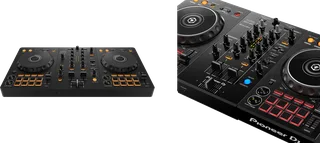
Pioneer DJ DDJ-FLX4 vs DDJ-400
Choose between a new DDJ-FLX4 and a used DDJ-400. Compare software, ports, mic routing and the checks to make before paying for a used controller.