DJ gear
Best laptops for DJing
Choose a DJ laptop by software and controller compatibility, ports, RAM and workload. Check OS support before buying new or refurbished.
Three configurations worth comparing
| Configuration | Best fit | What to check before buying |
|---|---|---|
| MacBook Air M5, 13-inch, 16 GB / 512 GB | Lightweight setup and local library | Controller cable and whether two USB-C ports cover the rig |
| ThinkPad T14 Gen 7 AMD, 16 GB / 512 GB or more | x86 Windows setup and native USB-A | Regional configuration, the exact Windows version and device driver |
| MacBook Pro 14-inch with M5 Pro | Buyers who need more ports or regularly run additional demanding work | Which tasks justify the cost and whether the exact chip and OS build are supported |
I’d start at 16 GB of RAM and 512 GB of storage for a new laptop. A 512 GB drive can be plenty for a DJ who carries selected local files, while a large lossless archive can justify more space or a separate library drive. Consider 24 GB or more if your real workload keeps DJ software, real-time track separation, recording and other processes running together. Software makers often publish separate requirements for their heavier performance modes.
Check the app, controller and OS as a set
Start with the official requirement page for your version of Serato, rekordbox or Traktor. Then look up the exact controller or mixer and any audio driver. Serato supports macOS 27 from DJ Pro and Lite 5.1.0 for listed hardware. Native Instruments lists Traktor Pro 4.5.1 and a roster of compatible devices on macOS 27. For rekordbox 7.2.20 the newest listed Apple OS is macOS Tahoe 26. Check which OS ships on the specific Mac you are considering.
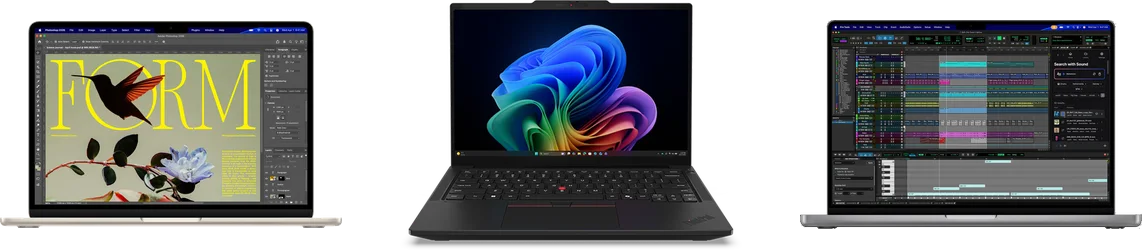
Serato lists Windows on ARM, including Snapdragon X machines, as unsupported. Choose a supported Intel or AMD x86 configuration if you intend to use Serato on Windows. Lenovo’s model family covers several regional configurations, so check the shop listing against the exact model number.
The Air uses MagSafe power, leaving its two Thunderbolt/USB-C ports available. The 14-inch M5 Pro has three Thunderbolt 5 ports and separate HDMI and SDXC connections. Check your actual cable count if the set needs a controller, an external library and a recording interface. Older hardware may still need an appropriate cable, hub or adapter. Test local playback and headphone cueing with the controller, power supply and peripherals you plan to take out. Include track separation if you use it in a set. Measure your usual work surface and case before picking a larger screen.
On a refurbished or used laptop, confirm the chip, RAM, storage and installed OS in the system screen. A listing that gives only the laptop family may cover more than one configuration. Ask the seller to show the ports or note whether you need a USB-A connection for your controller. Check that the charger works and that you can run the laptop on power with the controller connected. A port taken up by a charger or adapter can affect what fits beside it at a crowded booth.
Work out how much library you need to carry
For rekordbox, 8 GB meets the general memory requirement and 16 GB is the published minimum for track separation and GROOVE CIRCUIT. The software installer is only a small part of the storage budget. Leave room for local audio, recording and backups, especially if you carry lossless files. Keep a spare copy of important sets somewhere that is independent of the laptop.
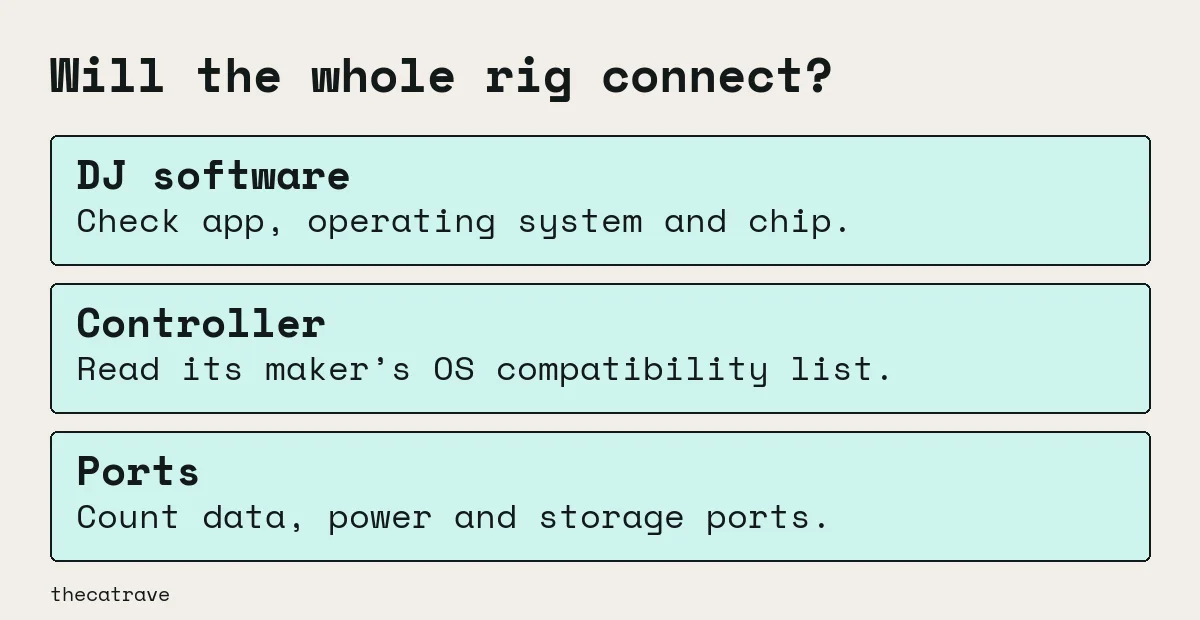
Separate your performance library from the archive you keep at home. Copy the records and edits you use on gigs onto the laptop or the drive you plan to take. Once those files and any recordings are on it, check how much free space remains before buying a smaller drive. If an external drive holds the library, reopen your DJ software with that exact drive attached. A fast computer cannot load a track if the application is pointing at the old path.
Before upgrading a working setup, reproduce your busiest session on the current machine. Use the set you actually play, recording and any track separation you rely on. Check cueing while it runs. If everything works through a rehearsal, put the money toward a spare copy of your library or the hardware that is causing trouble. If the app asks for an OS or driver your machine cannot run, read both compatibility lists before ordering a replacement.
When a laptop is optional
If the venues you play take CDJs and prepared USBs, you may need a computer for library prep rather than in the booth. A standalone system can also remove the performance computer. For a laptop-led rig, pick the app first in the DJ software guide.
FAQ
Is 8 GB of RAM enough for DJing?
It meets the published general rekordbox requirement. The same app calls for at least 16 GB for track separation and GROOVE CIRCUIT. Check the current requirements for your app and the performance features you plan to use.
Can I run Serato on a Snapdragon laptop?
Serato lists Windows on ARM computers, including Snapdragon X systems, as unsupported. Buy a supported Intel or AMD Windows model if desktop Serato is part of your setup.
Do I need a new laptop before buying a controller?
Try the required DJ software on the one you have. Check the supported OS, port and driver with the controller you want. If the app and hardware work together with your library and usual features, keep the computer.
Sources.
- Apple MacBook Air specifications and MacBook Pro specifications
- Lenovo ThinkPad T14 Gen 7 AMD specifications
- Serato system requirements and Windows ARM support status
- rekordbox download and requirements and Traktor Pro 4 requirements
- Serato macOS 27 support and primary hardware list.
- Native Instruments macOS 27 software and hardware compatibility.
- Apple MacBook Air M5 launch details and Apple MacBook Pro M5 Pro launch details.
Continue reading
Read next.
 Crate digging~5 min read
Traktor vs Rekordbox for DJ Controllers and CDJs
Choose between Traktor and rekordbox by USB export, compatible hardware, stems, DVS and licensing. Plan how to move your library if you switch.
 Crate digging~5 min read
Best Wireless DJ Headphones for Booth Cueing
Compare AlphaTheta SonicLink and AIAIAI W+ Link DJ headphones. Match the transmitter, cue connection, fit and battery to your booth.
 Crate digging~5 min read
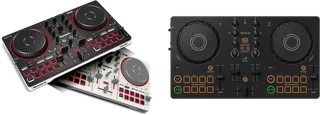
Best Budget DJ Controllers Under $300
Compare affordable DJ controllers by software, controls, cueing and outputs. See what to buy under $300 and when the FLX4 is worth extra.
 Crate digging~14 min read
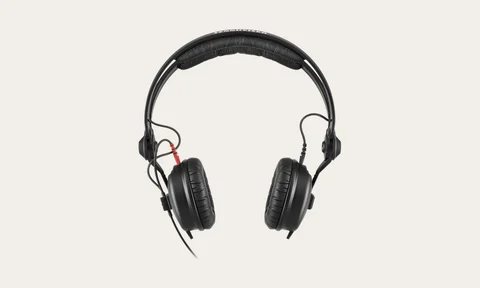
Best DJ Headphones (2026): 10 Pairs for Every Budget
The Sennheiser HD 25, Pioneer DJ HDJ-CUE1 and HDJ-X10, Technics, wireless and in-ear picks, with specs and prices from the makers.