DJ gear
Best wireless DJ headphones
Compare AlphaTheta SonicLink and AIAIAI W+ Link DJ headphones. Match the transmitter, cue connection, fit and battery to your booth.
What you have to buy
| Headphones | DJ link | U.S. reference price | Transmitter |
|---|---|---|---|
| AlphaTheta HDJ-F10 | SonicLink | $469 headphones, $599 kit | In kit or compatible mixer |
| AlphaTheta HDJ-F9 | SonicLink | $349 headphones | Separate or compatible mixer |
| AIAIAI TMA-2 DJ Wireless | W+ Link | $300 kit | X03 included |
| OneOdio Studio Max 2 | RapidWill+ 3.0 | $199.99 list | M2 included |
AlphaTheta publishes 9 ms for SonicLink. AIAIAI claims under 10 ms for W+ Link, and OneOdio publishes 9 ms for its transmitter. Your mixer and the audio buffer in a laptop rig also affect the time it takes sound to reach your ears. I’d choose by fit and the cost of the transmitter before comparing those figures.
Check the contents of the exact listing before comparing two prices. The $469 F10 and $599 kit differ by $130 at the reference prices above. The separate headphones make sense if you know the mixer has the right built-in support or you already own a matching transmitter. If you move between unfamiliar mixers, compare packages that include a transmitter, the right audio cable and a way to charge it. A cheap pair can become an awkward buy if you still have to find and carry a missing box.
AlphaTheta HDJ-F10 and HDJ-F9 for SonicLink setups
The F10 has over-ear cups, while the smaller F9 sits on the ears and has a locking cable for wired use. The F10 is my pick of the two for someone who wants the cup to enclose the ear. Choose the F9 if you already like an on-ear fit and want a lighter kit. Both need an HP-TX01 transmitter when the mixer lacks a compatible built-in SonicLink transmitter. The HDJ-F10-TX package includes that box. Check which package a retailer is selling. HDJ-F10 · HDJ-F9
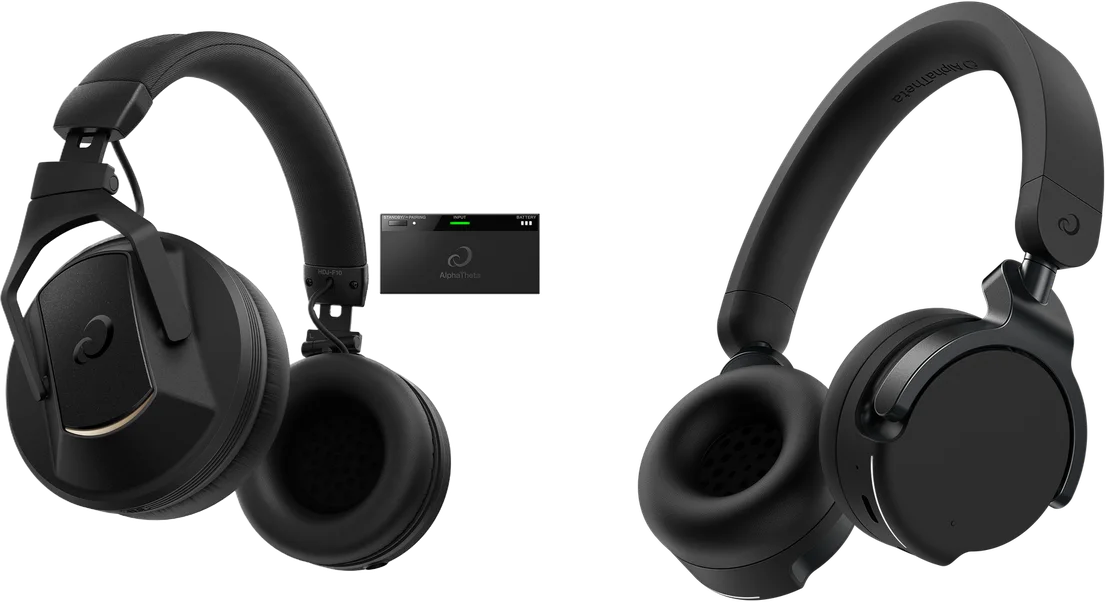
Choose the fit you can keep in place while you look down at the decks. With an over-ear cup, check for gaps where glasses or hair meet the pad. With an on-ear cup, check how the band pressure feels and whether the cup stays where you put it if you listen with one ear uncovered. Then find the wire and pair the set in your actual working position. Both matter if you will switch to wired cueing during a gig.
AIAIAI TMA-2 DJ Wireless for a kit with the transmitter included
AIAIAI includes its X03 transmitter with this on-ear TMA-2. The maker gives about 20 hours for the headphones in W+ Link use and 40 hours for the transmitter. It also accepts a cable and has a separate Bluetooth mode for listening away from the mixer. The product page shows a DJ Wireless kit and several TMA-2 models with similar names. Look for the X03 in the package description. AIAIAI TMA-2 DJ Wireless
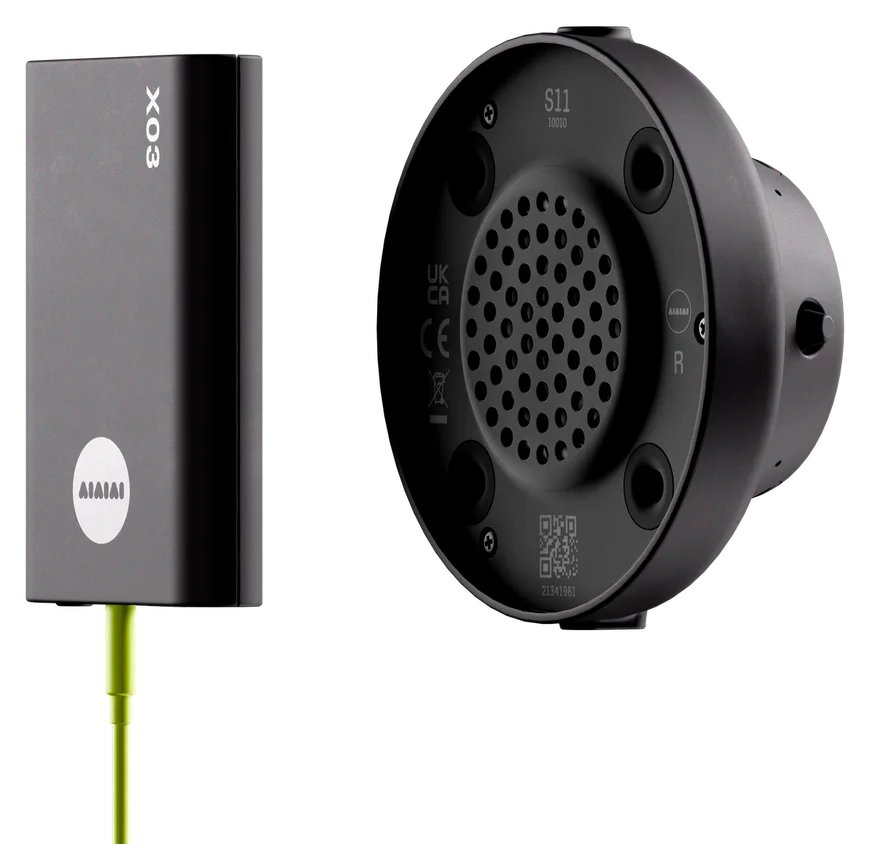
Treat the receiver’s and transmitter’s battery figures as separate limits. If the headset is almost flat, a charged X03 alone does not solve the problem. Charge both when you pack the rig and include the cables you need to power each one between sets. Check that you can switch to the included wired connection with your mixer. The AIAIAI system’s modular pads and wired option can be useful if the same pair will do a lot of work at home and in booths.
OneOdio Studio Max 2 for a smaller budget
The Studio Max 2 has a lower list price and comes with its M2 transmitter. OneOdio names KSHMR as a collaborator on this edition. The maker’s listing shows restock and preorder notices. Check the shipping date if you need the headphones for a gig. OneOdio Studio Max 2
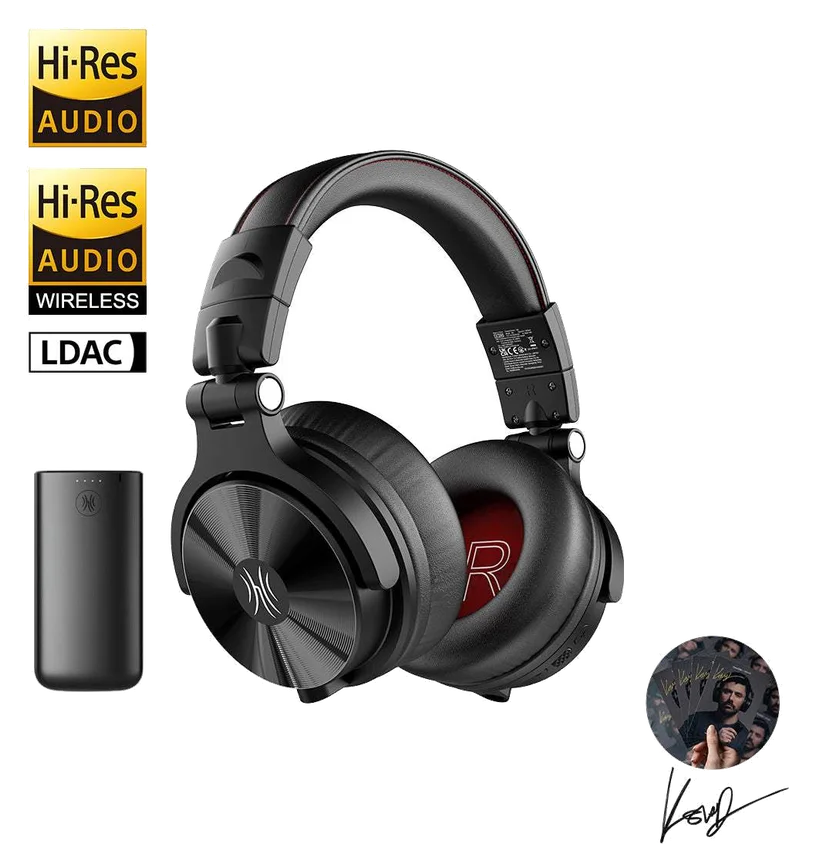
For a first wireless purchase, compare the saving with the practical kit you need. Check the box contents, the included adaptor or cable and the maker’s setup instructions for the M2 before choosing it over another bundle. Give yourself time to connect it to the mixer at home. Match the set you actually ordered with the instructions instead of assuming an earlier or similarly named OneOdio pair runs the same link.
The mixer has to send the cue
On a mixer with no matching transmitter built in, feed the wireless box from the headphone output according to its instructions. A transmitter plugged into the room feed only receives the room programme. Start with the cue signal you want to hear and check the jack size and cable that come with the kit. Pack the headphone cable for an unfamiliar mixer or an uncharged transmitter. The DJ headphone guide has more wired picks, and the DJ mixer guide explains the purpose of the cue controls.
Think through the path as three pieces: the mixer’s headphone socket, the transmitter input and the headphones. Before leaving for a gig, play two tracks and listen for the cued one while it is absent from the room mix. Then turn the mixer’s cue blend and check that the expected change comes through in the headphones. Try it with your normal laptop audio settings if you use software. If the result feels different from your wired pair, use the same mixer and track for the wired check so you can tell which part of the setup changed.
When packing for a shared booth, check where the transmitter will sit without pulling on the headphone lead or blocking the other DJ’s hands. Keep the wired option within reach during changeover. You can decide whether to use the wireless link once you see the available output, power and space. In a shared rig, label the transmitter and its charging cable so you can recover the complete kit afterwards. If another DJ frequently swaps in, practise putting their wired headphone plug back within reach.
FAQ
Can I DJ with ordinary Bluetooth headphones?
Use the wired connection if the headphones accept one. Ordinary Bluetooth adds delay to the cue. The wireless picks here use a separate low-latency mode and a matching transmitter.
Can I use one transmitter with headphones from another brand?
The models here use three proprietary systems. Buy a transmitter documented for the headphone you want. An AlphaTheta headphone and an AIAIAI X03 cannot use each other’s low-latency links.
Will my DJ mixer work with wireless headphones?
A compatible built-in transmitter can simplify the connection. For a separate transmitter, match its analogue input and included cable to the mixer’s headphone output. Bring a wired pair or the manufacturer’s headphone cable if you cannot check the booth in advance.
Sources.
Continue reading
Read next.
 Crate digging~5 min read
Best Budget DJ Controllers Under $300
Compare affordable DJ controllers by software, controls, cueing and outputs. See what to buy under $300 and when the FLX4 is worth extra.
 Crate digging~14 min read
Best DJ Headphones (2026): 10 Pairs for Every Budget
The Sennheiser HD 25, Pioneer DJ HDJ-CUE1 and HDJ-X10, Technics, wireless and in-ear picks, with specs and prices from the makers.
 Crate digging~8 min read
Best DJ Turntables for Mixing, Scratching and DVS
Compare five direct-drive DJ turntables for mixing vinyl, scratching and DVS by pitch range, phono and line outputs, and cartridge costs.
 Crate digging~8 min read
Best CDJs for Club Booths, Home Practice and USB Sets
Compare the CDJ-1500X, CDJ-3000X and older media players for home and club use. Check USB library support, mixer needs and the cost of a pair.