DJ gear
Best DJ monitor speakers
Choose DJ monitors by input, listening distance, room placement and price per speaker. Compare compact pairs, single monitors and booth use.
Match the socket and count the speakers
| Monitor | Sold as | Inputs to use for DJing | Best fit |
|---|---|---|---|
| Pioneer DJ DM-40D | Stereo pair | RCA or 3.5 mm | Small RCA controller setup |
| Pioneer DJ VM-50 | Single powered monitor | XLR/TRS combo or RCA | Pair of separately powered monitors |
| Kali Audio LP-UNF | Linked stereo system | RCA or balanced TRS | Shared home DJ and computer desk |
| Kali Audio LP-6 V2 | Single powered monitor | XLR, TRS or RCA | Larger listening position with room for stands |
The wired DM-40D is $179 a pair at Pioneer DJ’s regular U.S. price. The VM-50 is $209 each, or $418 for two at the same reference price. Add both signal cables and spare mains outlets to the calculation if you are buying individual powered monitors. DM-40D U.S. listing · VM-series U.S. listing
Start with a drawing of the deck or mixer outputs. Label what you already use for the room speakers, which socket can feed the monitors, and which pair needs to reach the listening position. A stereo mini-jack can carry both channels to one stereo input. A pair of RCA outputs carries left and right on separate plugs. With two independently powered monitors, send one channel to each cabinet. Buying the speaker first and guessing the adapter later can leave you with the right plug and the wrong signal.
A narrow desk with an RCA controller
The DM-40D has a 4-inch woofer and is the simplest of the four to pair with a basic controller’s RCA output. One speaker houses the inputs and amplification. The other connects to it with speaker wire. Use the wired version’s RCA or stereo mini-jack for DJ audio. The separate DM-40D-BT version adds Bluetooth. Pioneer DJ monitor comparison
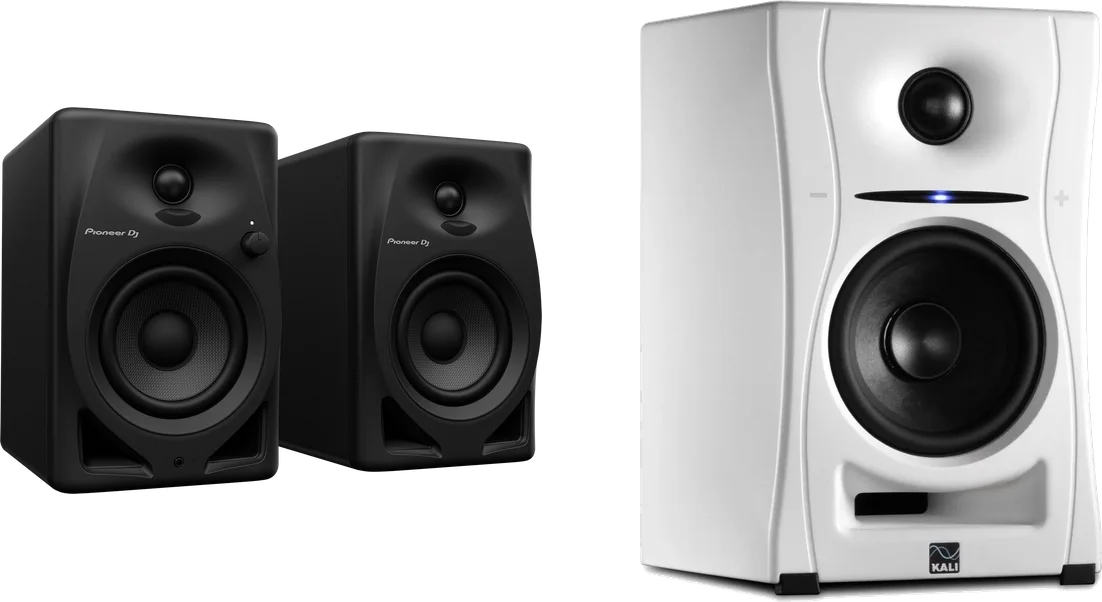
The LP-UNF fits a desk that does double duty. Leave the computer connected to the USB-C input and use the analogue RCA or balanced TRS inputs for the DJ controller or mixer. The speakers also accept Bluetooth for casual listening. Leave space behind the left speaker for the plugs. Kali LP-UNF
Measure the desk with the controller and computer in their usual places. Leave space for plugs at the back as well as for the speaker footprint. Check which side has a mains outlet and which cabinet holds the inputs. A linked pair needs a signal lead to the powered cabinet and a lead between the speakers. If they will sit on opposite sides of a wide desk, compare that distance with the supplied speaker connection before buying longer cables or rearranging the room.
If the LP-UNF will do two jobs, trace each path separately. The computer can send everyday audio through USB-C. For a controller with its own master output, run that signal directly to the monitor’s analogue input. Before going live with a mix, select the intended source and lower the level on the other one. The source selection is an extra step to remember if the desk is shared.
Two mains outlets and a cable to each speaker
The VM-50 has separate low- and high-frequency settings. Its powered cabinets give you a choice of balanced input or RCA on each side. If your mixer offers balanced booth outputs and the speakers are well away from the mixer, compare the output and input sockets and run the matching pair of balanced cables.
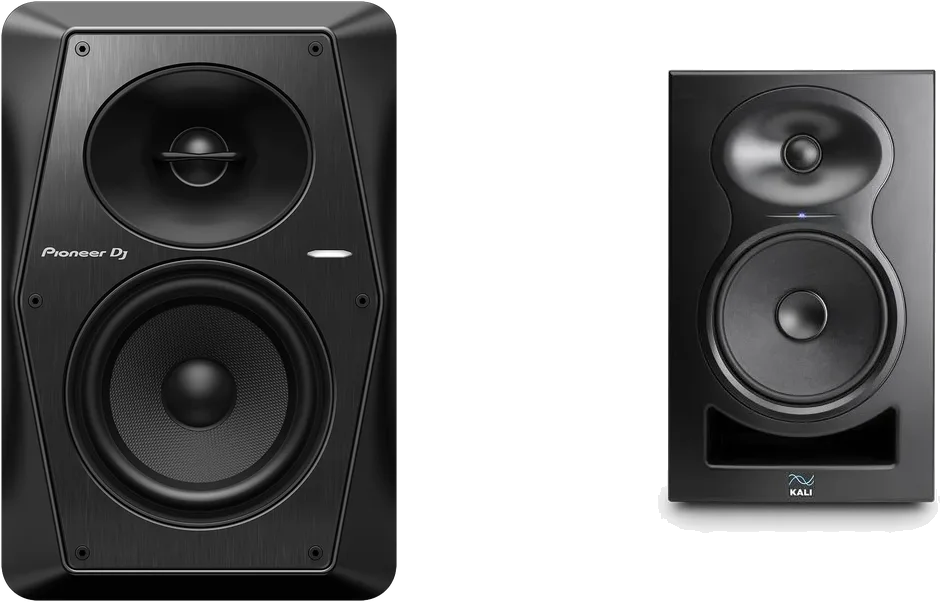
Kali’s LP-6 V2 is also an individually powered monitor. Its boundary EQ settings account for placements such as a desktop, stand or nearby wall. Buy it when the cabinets can stand at a sensible distance from your ears. A larger woofer does little for your setup if it pushes one speaker behind a screen or into a corner. Pioneer DJ VM-50 · Kali LP Series
Two powered cabinets make the cabling more flexible, but they also give you two gain settings. Start both at the same position, play a familiar recording and check that the centre sounds centred from your normal standing or seated position. If one speaker is close to a wall and the other is in open space, try moving the cabinet before choosing radically different settings on the two sides. For the LP-6 V2, use the maker’s placement diagram for each speaker as the starting point for its boundary switches.
Leave clearance around the controller before deciding between a desk footprint and a stand. Set the monitors up so the cabinet edges and laptop do not obscure the higher driver from your usual position. If stands free usable desk space, include their height and cost in the comparison. If you keep bumping into a large speaker when you reach to the far jog, a smaller pair that both fit in the right position is a more practical buy.
Home monitors, booth monitors and the room
A home monitor is meant to be heard near the controller or desk. In a booth, the booth output usually supplies the main mix at a level the DJ can set without changing the room sound. Check the routing in the mixer’s guide or manual. The DJ speaker and PA guide covers the equipment that sends sound to the dancers. Check the controller outputs before you buy the cables.
At a venue, check who controls the main level and whether the booth output remains independent when that level changes. With a colleague's help, turn the booth control down briefly during soundcheck while the room stays at its agreed level. Check the two sides of the booth before using more volume to fix an uneven position. Bring the proper cable for the mixer and monitor, and leave the headphone cue connected where you can reach it. For a temporary setup, mark the two monitor cables so the sides are obvious when you unpack.
FAQ
Can I connect RCA outputs to balanced monitors?
Yes, with a cable and input compatible with an unbalanced signal. The signal stays unbalanced when an adapter changes the connector shape. For a long run, use a genuinely balanced output if your mixer or system provides one.
Do DJ monitors come in pairs?
Some do, including the DM-40D and LP-UNF. The VM-50 and LP-6 V2 are individually powered and sold singly in standard listings. Check the product quantity before comparing a single cabinet with a complete pair.
Can I DJ through Bluetooth studio monitors?
Connect the monitors by cable for mixing and cueing. Bluetooth playback can lag behind the sound in wired headphones. A monitor with Bluetooth can still serve for casual listening from a phone.
Sources.
Continue reading
Read next.
 Crate digging~5 min read
Best Laptops for DJing with Rekordbox, Serato or Traktor
Choose a DJ laptop by software and controller compatibility, ports, RAM and workload. Check OS support before buying new or refurbished.
 Crate digging~5 min read
Best Wireless DJ Headphones for Booth Cueing
Compare AlphaTheta SonicLink and AIAIAI W+ Link DJ headphones. Match the transmitter, cue connection, fit and battery to your booth.
 Crate digging~5 min read
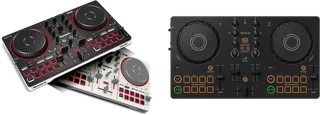
Best Budget DJ Controllers Under $300
Compare affordable DJ controllers by software, controls, cueing and outputs. See what to buy under $300 and when the FLX4 is worth extra.
 Crate digging~14 min read
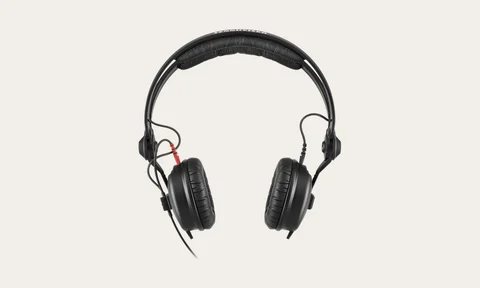
Best DJ Headphones (2026): 10 Pairs for Every Budget
The Sennheiser HD 25, Pioneer DJ HDJ-CUE1 and HDJ-X10, Technics, wireless and in-ear picks, with specs and prices from the makers.